Website delivery without the feedback fog
Website feedback, ready for client approval.
Capture the exact page area, keep every revision in scope, and finish with a clear approval record.
For desktop Chrome- Free plan available
- Guests need no account
- No background browsing
One calm path from comment to sign-off
Keep the work moving without another issue tracker.
ReviewFlow gives the team enough context to act and the client a simple place to decide.
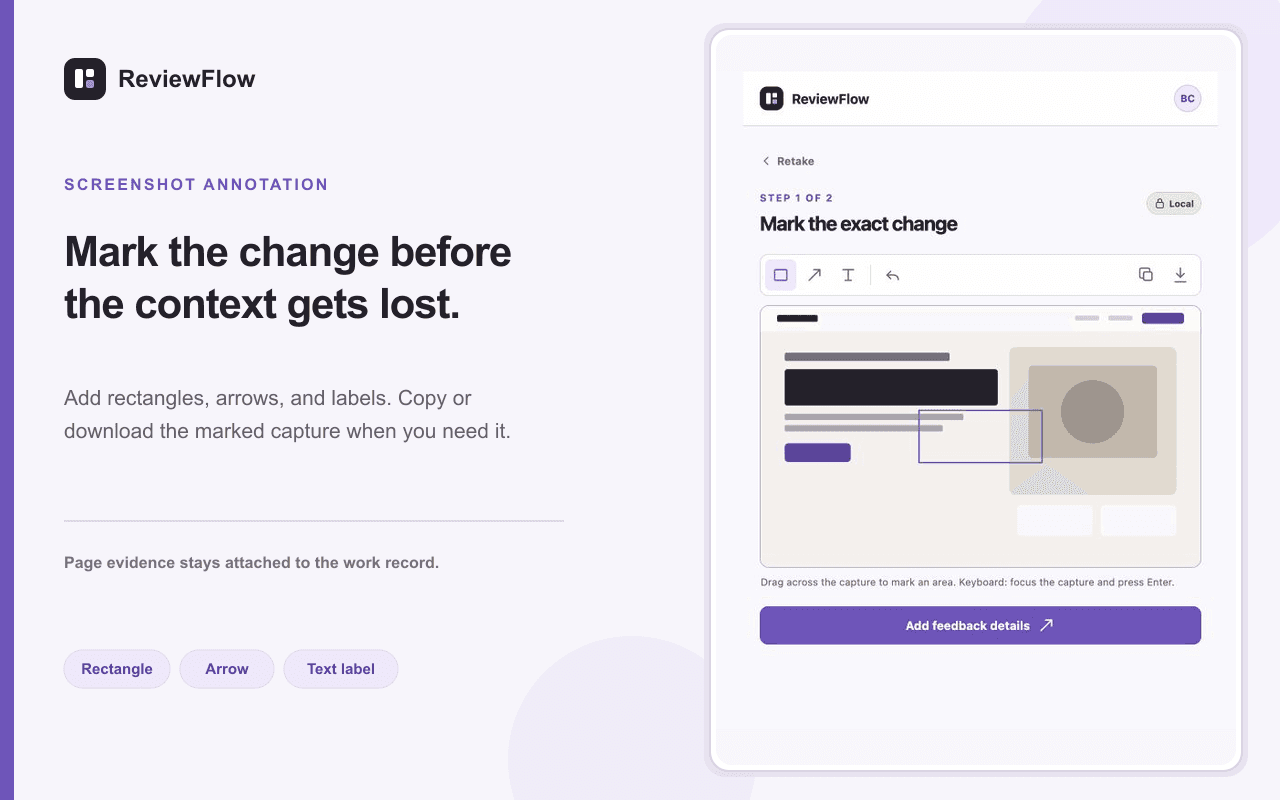
- Capture the page area
Open the side panel, select the exact area, and mark the expected change.
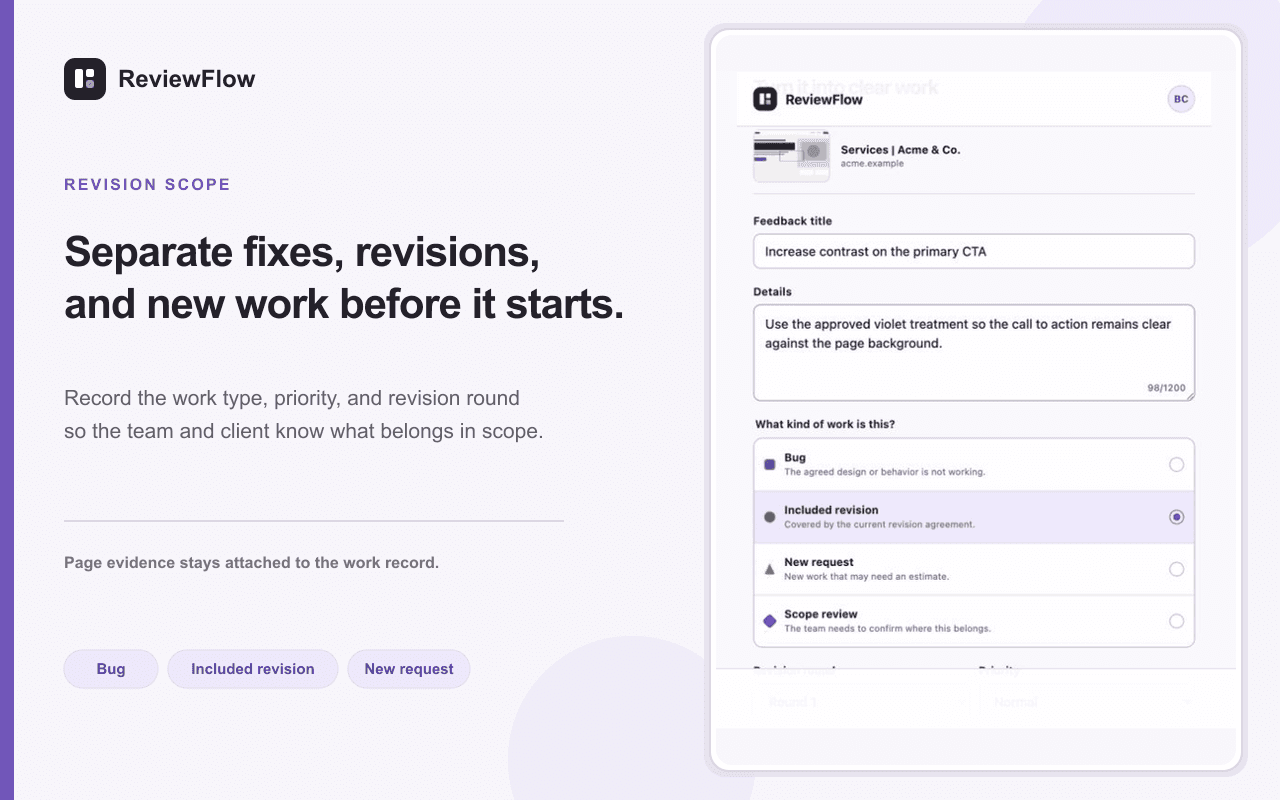
- Classify the work
Record the revision round and whether the request is included, new, or needs review.
- Close the loop
Resolve the feedback, request confirmation, and retain the approval history.
Protect the delivery agreement
Make scope visible while the request is still small.
Every item carries its commercial context, so teams can respond clearly before an extra request turns into unpaid work.
- Bug
- Included revision
- New request
- Scope review
Easy for clients. Useful for the team.
Clients open a private review link, respond in plain language, and approve without creating an account or installing anything.
- Approve a fix
- Request changes
- Accept final delivery
Start with one real client project.
The free plan includes one active cloud project and the complete feedback capture workflow.